
Building Clarity through Data and Automation
- I’m a data analyst with a passion for transforming complex datasets into actionable insights. With expertise in Power BI, SAP, Power Automate, Power Apps, SQL, Python, and Databricks, I help organizations streamline reporting processes, optimizing analysis, and improving time management.
- Backed by an M.S. in Applied Data Science from Syracuse University, I approach data from every angle — from manufacturing intelligence and performance dashboards to predictive modeling and automation strategy.
- Backed by a B.S. in Accounting from Linfield College, I bring business acumen to data projects — from building balance sheet reports to leveraging general ledger reconciliation skills to ensure data accuracy and trustworthiness.
Data challenges aren’t roadblocks — they’re opportunities for smarter solutions.
Many teams don’t always know what to ask — or what’s even possible with their data. It takes showing real-world examples and asking the right questions to build successful and effective data applications and tools.
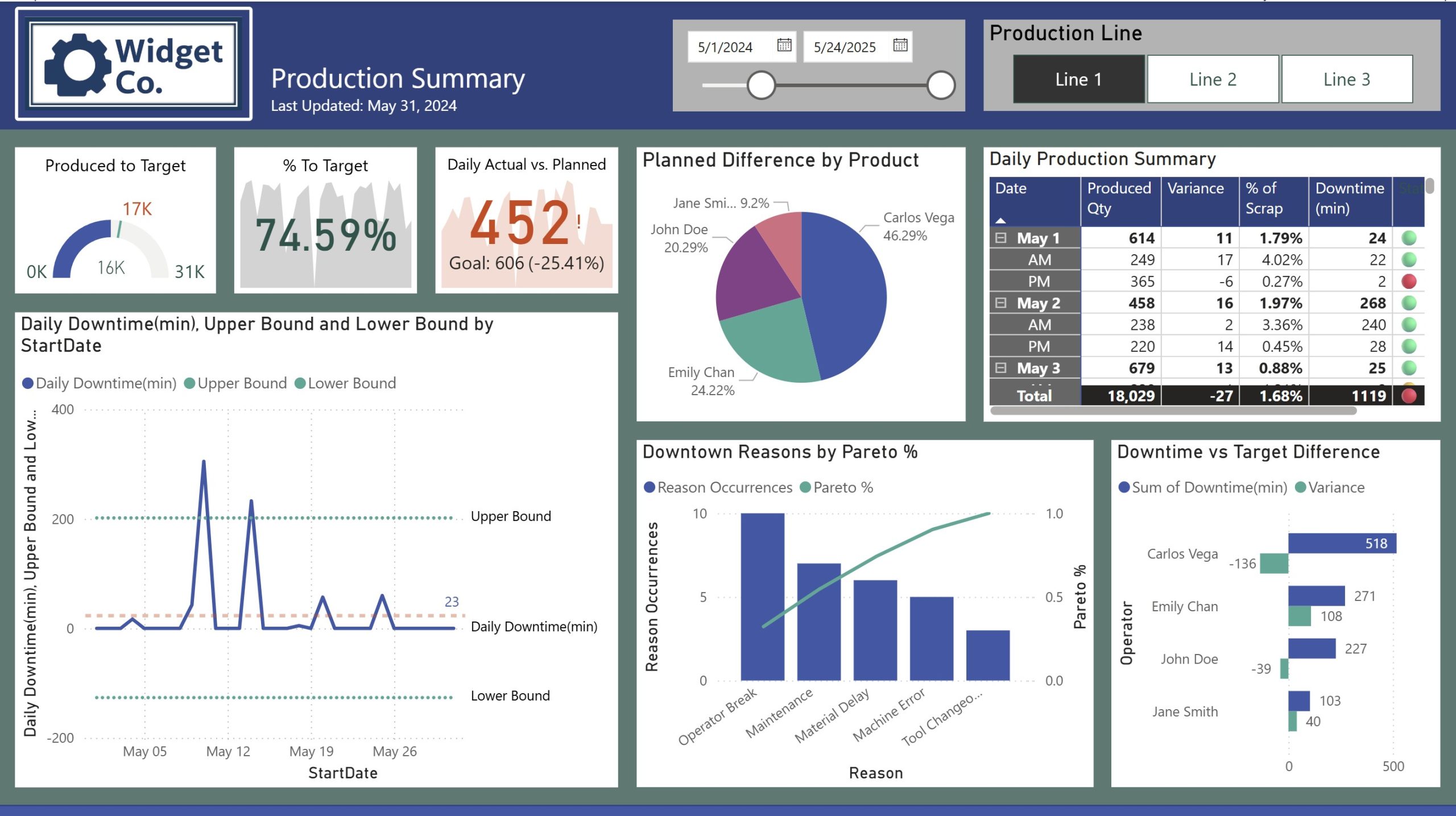
Power BI /Power Query
Simplify reporting with Power BI and Power Query. Automated data refreshes and ETL processes, replace repetitive spreadsheets, saving you hours each month. What reports are you recreating each month manually?
Databricks
Unify data engineering and machine learning at scale. Build and manage Spark-based pipelines that turn raw, high-volume data into governed, analysis-ready tables — the foundation strong BI and predictive models need.
Power Apps
Build secure, custom apps that sync seamlessly with Power BI. Collect and manage data from phones or tablets — no more scattered spreadsheets.
SQL
SQL is the backbone of reliable reporting. Well-designed data models and queries ensure you’re analyzing the significant data points. Are you collecting the right attributes?
Python
From forecasting to machine learning, leverage Python for advanced analytics and custom apps. Complex problems become solvable when data science meets strategy.
Power Automate
Automate the routine. From file transfers to email workflows, use Power Automate to eliminate repetitive tasks so your team can focus on strategy, not busywork.
What data processes do you need fixed to get better information?
Many teams don’t always know what to ask — or what’s even possible with their data. It takes showing real-world examples and asking the right questions to build successful and effective data applications and tools.
Power Apps
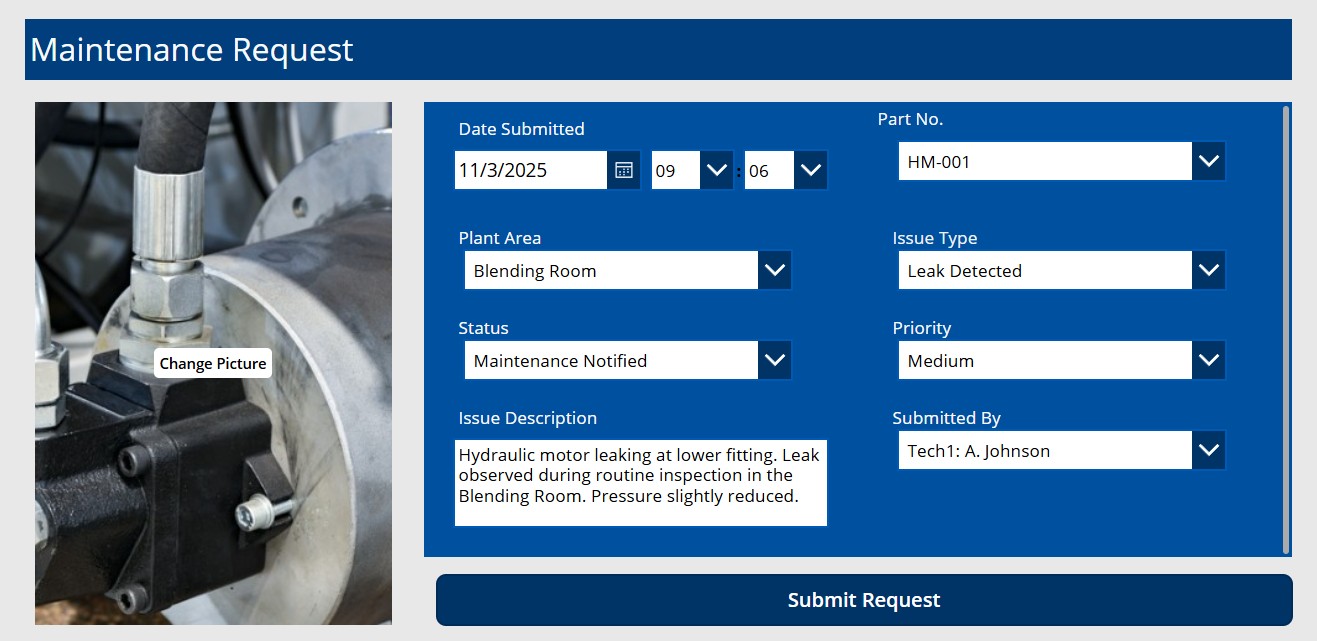
- A Maintenance request app that includes pictures for added identification.
- Mobile-friendly app for plant teams to update railcar movements (placed, pulled, switched).
- Real-time form for line supervisors to log causes of downtime (e.g. Line1, Line2)
Databricks
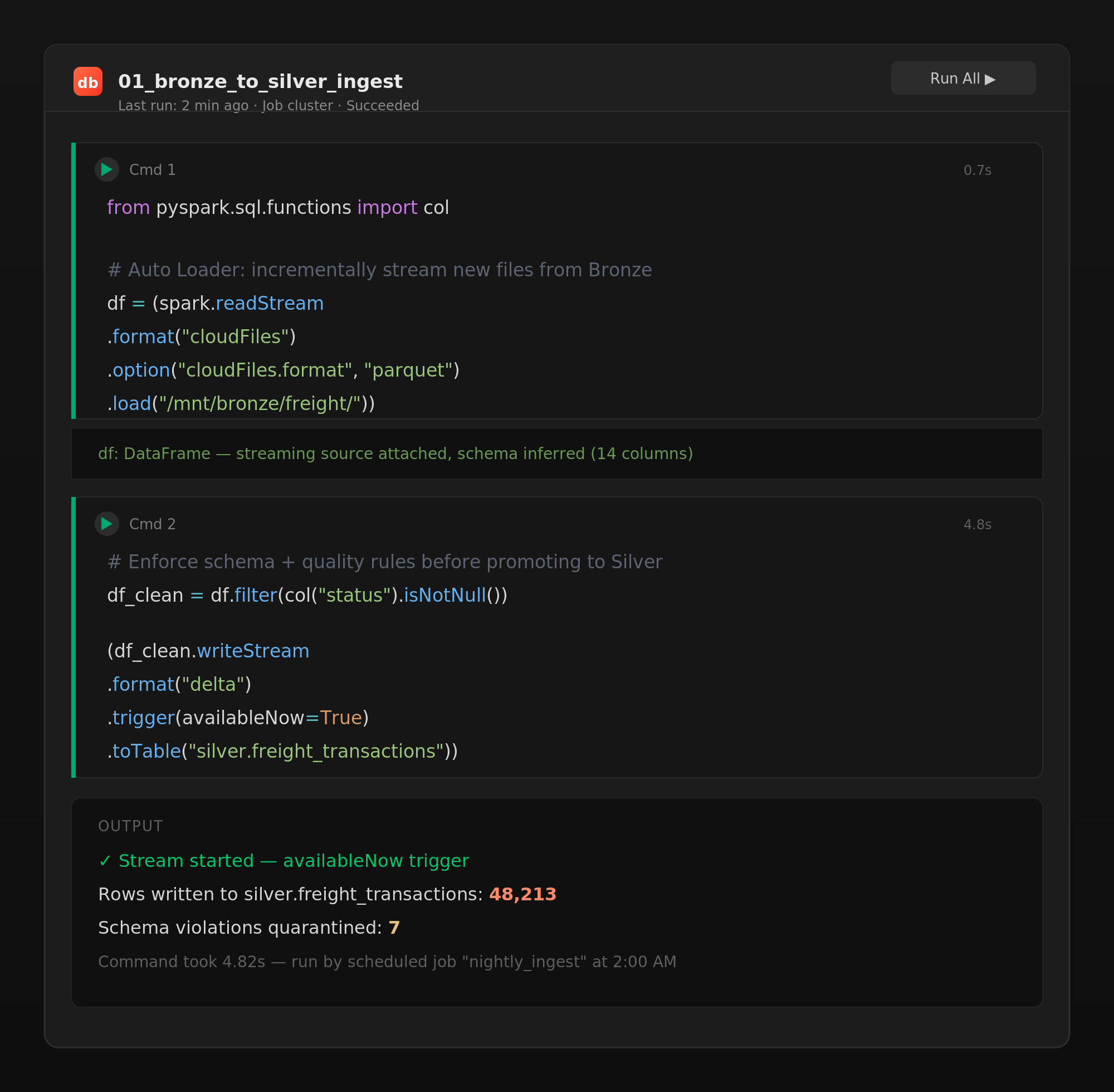
- Consolidates raw SAP, SharePoint, and Excel exports into governed Delta tables — one source of truth instead of a dozen versions of the same file.
- Runs Spark-based transformations on large historical freight and cost datasets that were too big for Excel or single-server Python jobs.
- Schedules automated notebook pipelines that refresh forecasting models overnight, so updated predictions are ready before the team logs on.
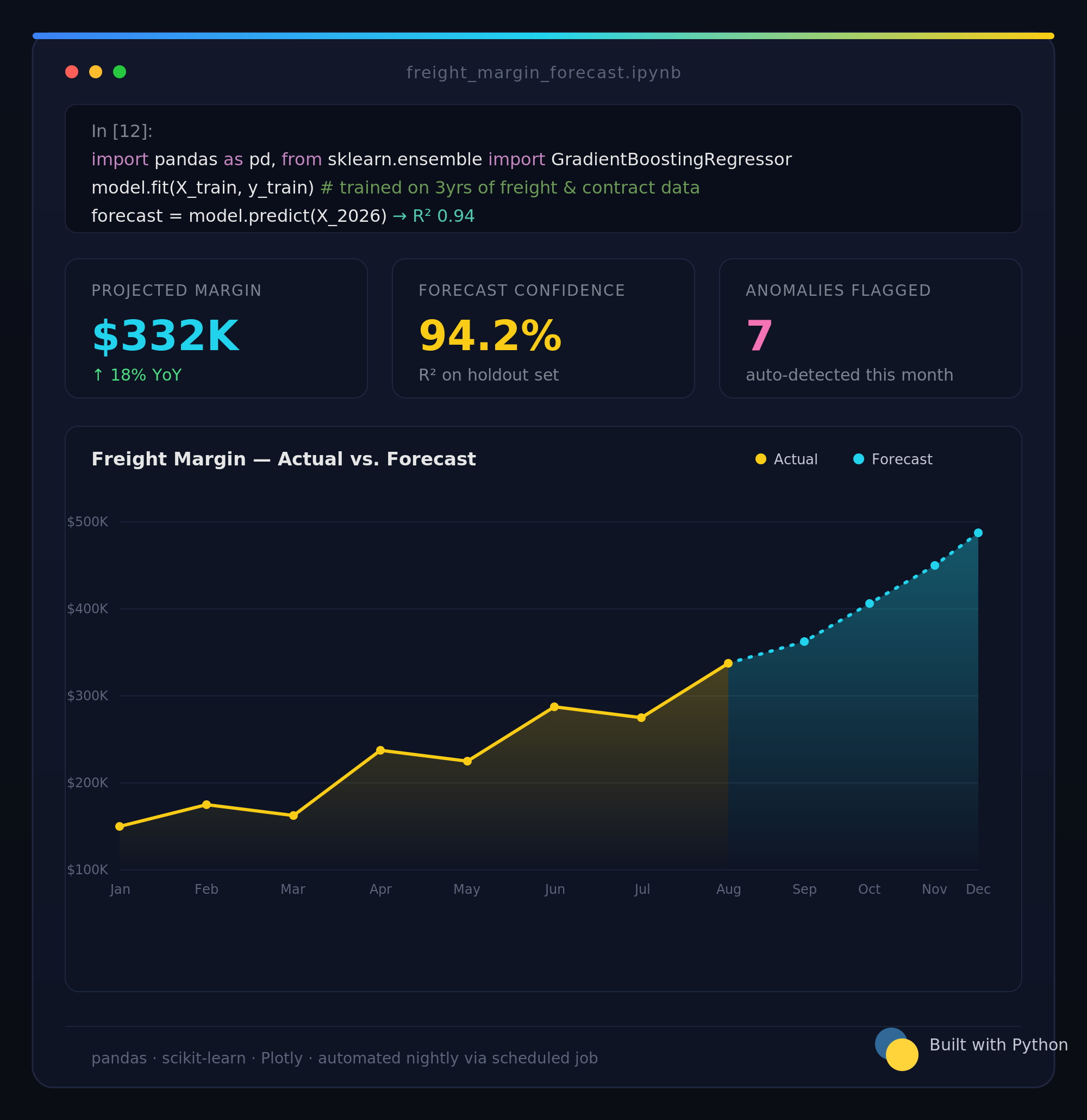
Python/Streamlit
- Automates extraction and formatting to merge and model large scale complex data such as contracts with shifting terms, retroactive pricing, and multi-line freight conditions
- Runs regression analysis on historical freight costs to forecast future margins.
- Builds and iterates layered data models, such as bill of material/component usage, using local server apps accessible to non-technical users.
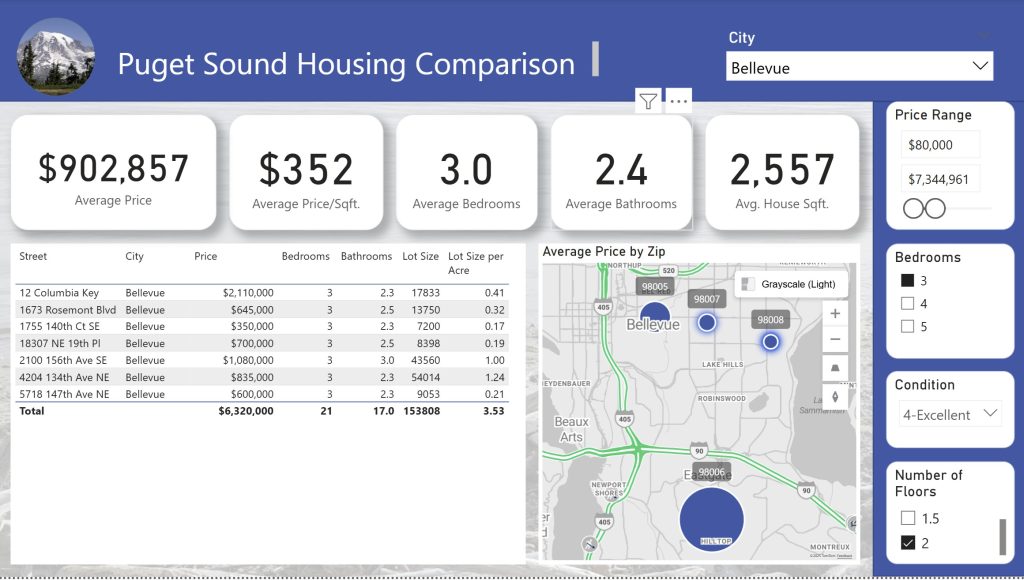
Power BI/Fabric
- Extract and transform complex website or PDF formats using Power Query to create clean datasets for streamlined dashboard reporting.
- Create risk scores or create other Predictive KPI’s using past data.
- Fabric-ready pipelines that unify data from Excel, SQL, and SAP for seamless enterprise reporting requiring automated python transformations.